AI search & chat that answers from your own site content
AskMyPages upgrades your WordPress search box and adds an AI assistant that answers from your pages and PDFs, with links to where each answer came from. Visitors find the right page even when they don’t use your exact words.
Upgrades your theme's existing search box, no redesign needed
AI answers with a citation per sentence, to the page or PDF page
Optional floating chat assistant
Text PDFs are searchable too, such as policy documents and agreements
Budget caps, so there are no surprise bills
See it answer a question
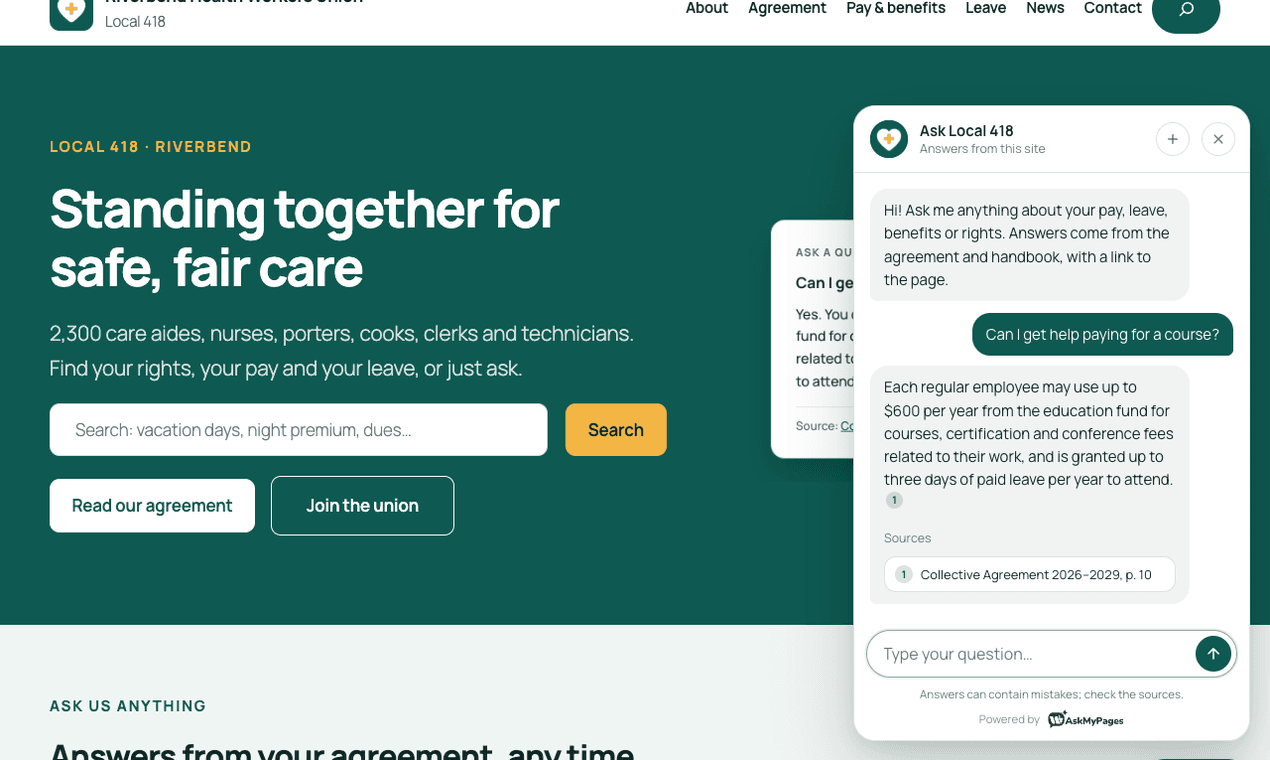
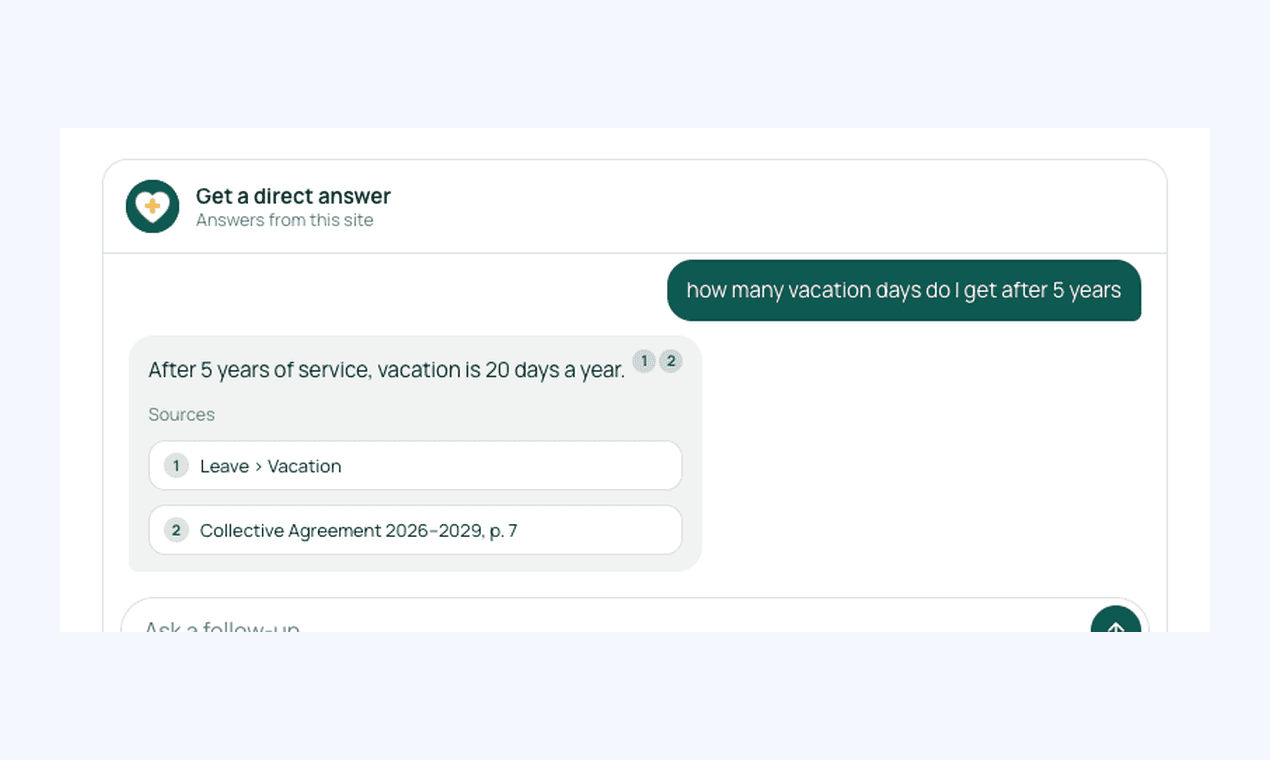
The live demo answering a member’s question from a collective agreement, then a follow-up. Nothing was edited: this is the plugin on a real WordPress site, in the site’s own theme. Try it yourself.
How it works
Set up in a few minutes. No technical skills needed.
AskMyPages is built for site owners, not developers.
1
Step 1: Install the plugin
Add it from the Plugins screen in your WordPress dashboard, like any other plugin.
2
Step 2: Click Connect
Sign in with your email and you are sent straight back, connected. There are no API keys to copy or paste.
3
Step 3: Choose what to include
Posts, pages and PDFs are already ticked. Drafts, private and password-protected content stay out automatically.
4
Step 4: You're done
Your search box is upgraded. Turn on the chat button too, if you like.
Rather not touch the Plugins screen?
We set it up for you. Free.
Leave your site address and we do the install, the connection and the first test questions with you, usually within a day. You keep every setting and can remove it in one click.
Features
Search that understands questions
Ask “how many bereavement days do I get?” and find the right clause in a long agreement, not a list of pages that mention the word “days”.
Chat
Answers with the source, in your site's own colours
Visitors ask in their own words. The assistant answers from your pages and PDFs and links the exact page or PDF page it used, so anyone can check.
Every answer cites its sources; follow-up questions work.
When your content does not cover it, it says so instead of guessing.
Takes your theme’s colours, font and button shape, or a colour you choose.
Search
Your search box, upgraded. A direct answer one click above the results.
The theme’s search box and results page stay exactly as they are; results are ranked by meaning as well as words. Pressing Enter shows results, so your quota is not spent on every search; a card above them answers the question in one click.
No redesign: your search box, your results page, your theme.
If our service is ever unreachable, normal WordPress search takes over.
Text PDFs are searched too, with the page number.
Access
You decide who may use it, and who may see what
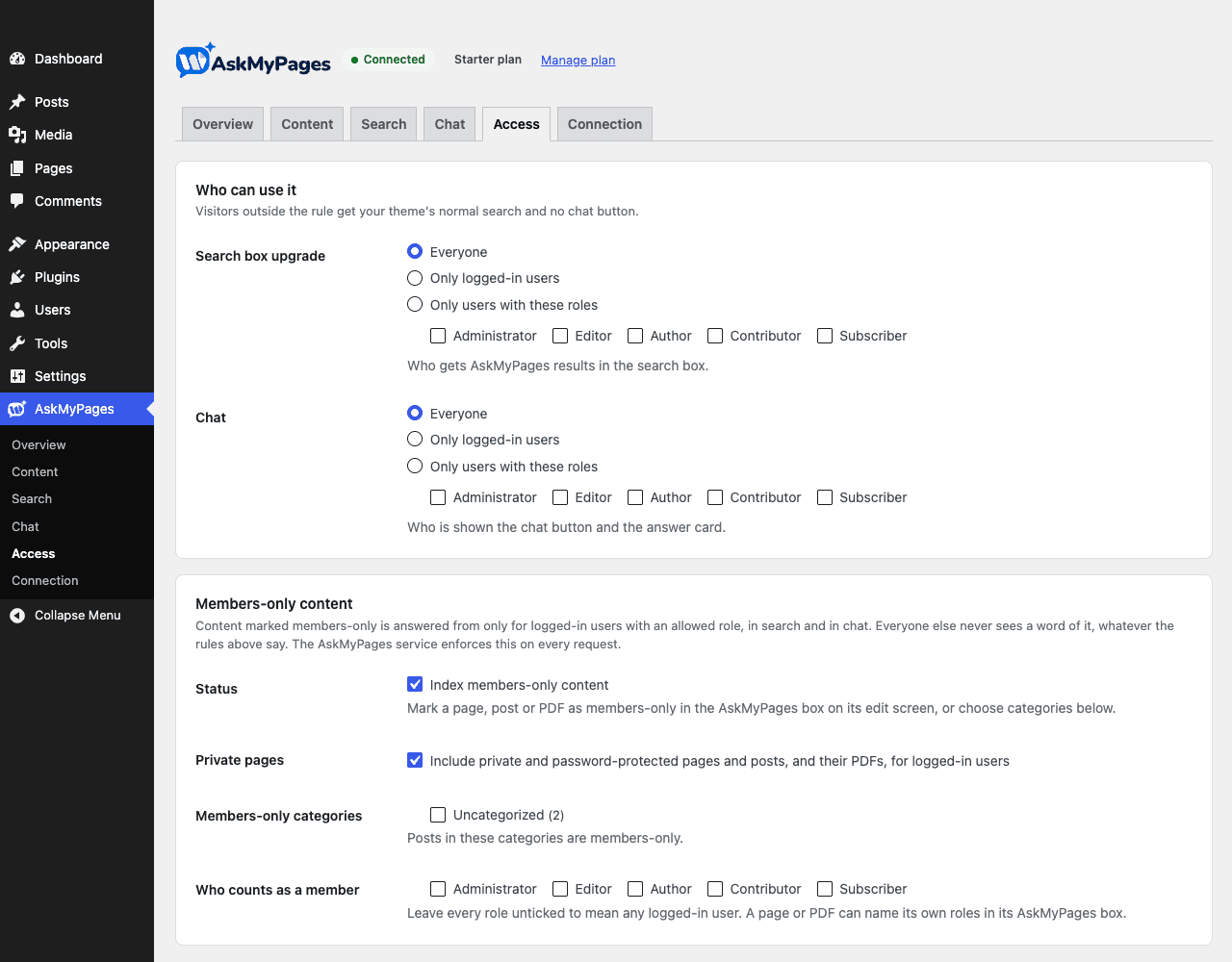
Search upgrade and chat each for everyone, logged-in users only, or chosen roles. On paid plans, mark pages, PDFs or whole categories members-only: the site answers from them only for the roles you allow, in search and in chat, checked on our server on every request.
Everyone, logged-in users, or chosen roles, per feature.
Members-only pages, PDFs and categories; private pages for logged-in users.
The public never sees a word of members-only content.
Set-up
Install, click Connect, done. Run it from WordPress.
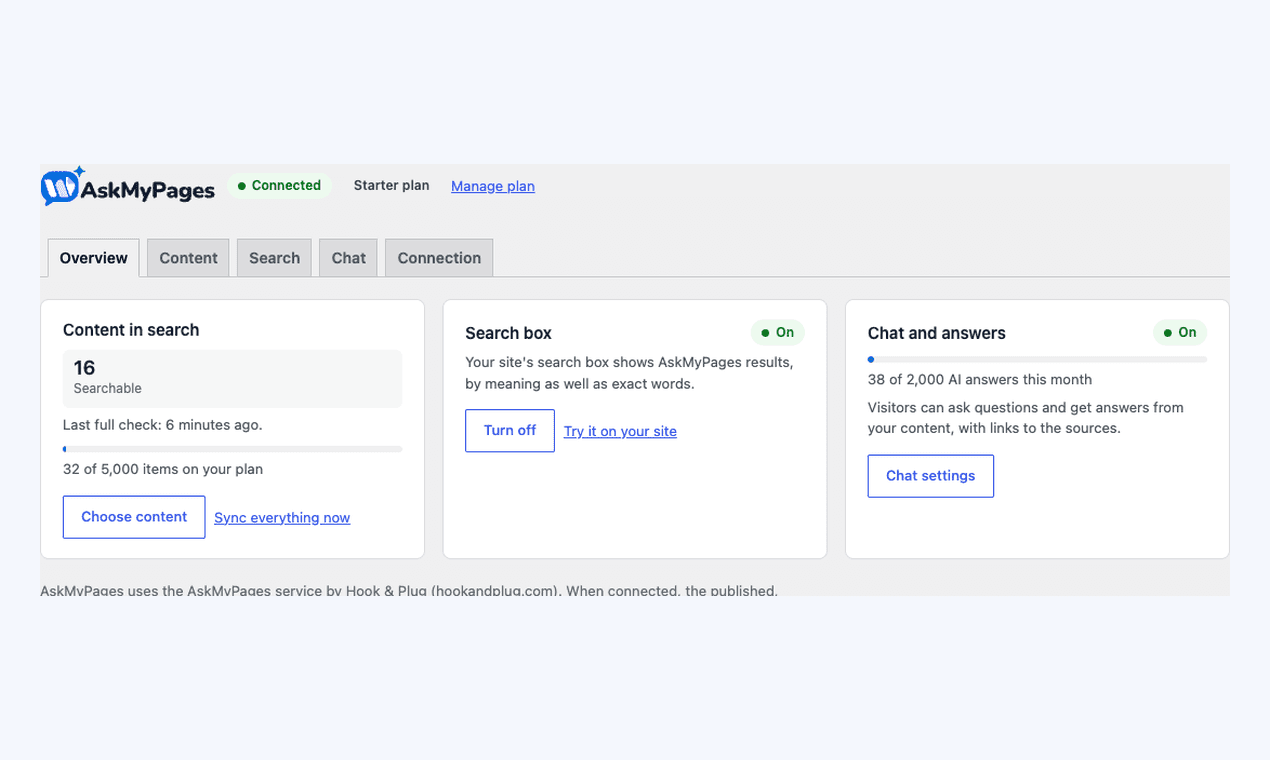
No API keys to copy and no AI account to open. Connect signs you in with your email and sends you straight back. Choose what goes in, see what is searchable, test answers before visitors do.
Posts, pages and PDFs ticked by default; categories and single items can be left out.
“Try it” answers test questions from a separate allowance.
Spending caps and a connection check that explains hosting problems plainly.
Why this one
Built for sites that answer questions, not for demos
Search and chat, not a bubble
Your theme's search box and results page get better first; the assistant is on top of that, not instead of it.
PDFs, with the page number
Handbooks, agreements, policies and price lists in the Media Library are searched and answered from. Most chat plugins stop at pages.
Every answer cites its source
A numbered link per sentence to the page or PDF page. When the site does not cover it, the assistant says so.
Flat plans, no surprise bills
Free with no card, then fixed monthly caps. No per-token charges, no prepaid credit, and a spending cap you control.
Looks like your site
Matches your theme, or Light or Dark with your own accent and picture. No chat-widget branding unless you turn it on.
Run as a service, by people who answer
Hosted and monitored by Hook & Plug, with support from the people who built it. Tenant isolation, backups and caps are the defaults.
Pricing
Simple plans, no surprise bills
Simple monthly pricing for AskMyPages. Start free.
Free
For small sites getting started. No card needed.
$0per month
1 site
500 indexed items
1,000 searches a month
100 AI answers a month
Posts, pages and text PDFs (150 PDF pages, 50 MB)
Meaning search updated every few hours
Every plugin feature: chat, answer card, wording, name and greeting, who sees it, chat in a page